-
A group admin opens the group and chooses Add Members.
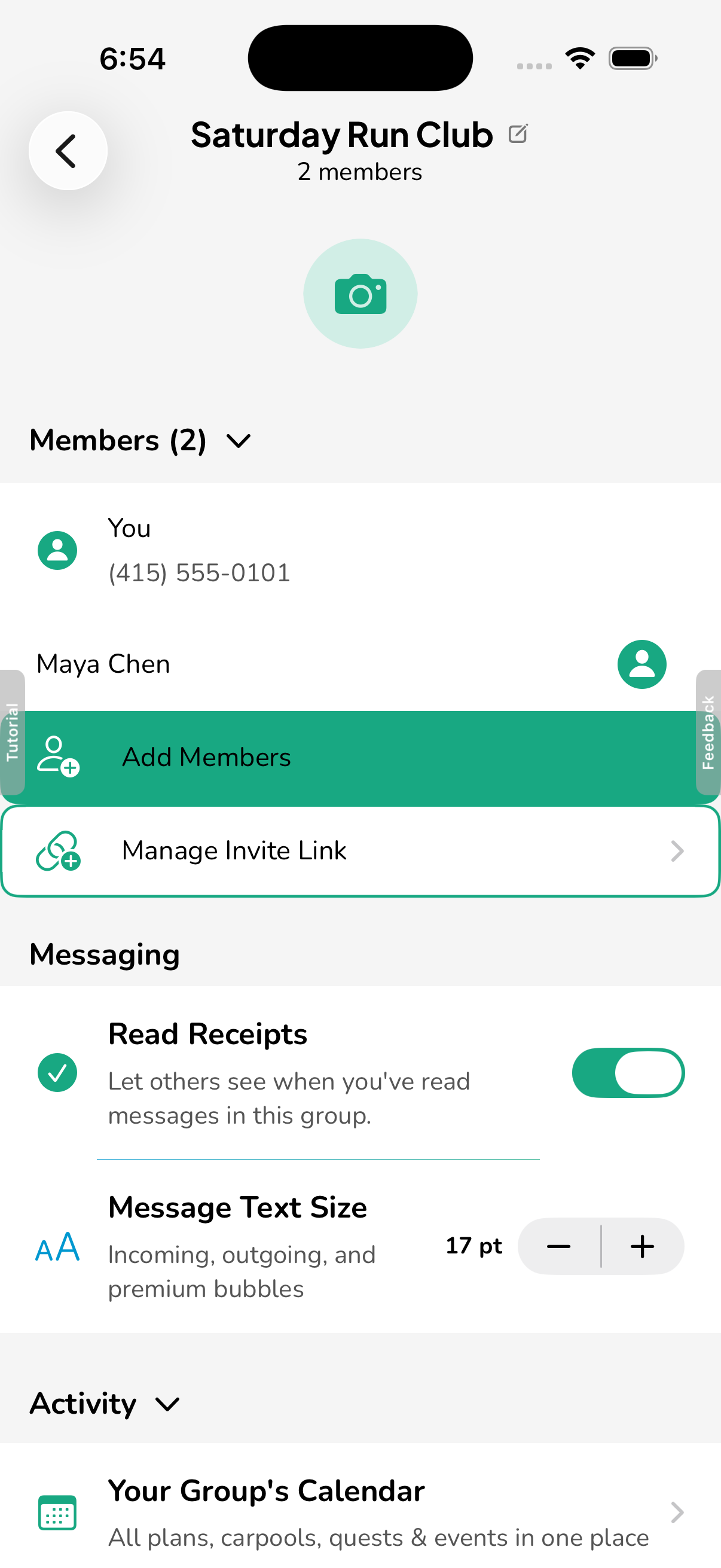
Group settings in the Hytch app. The admin chooses Add Members. -
They enter a number that is not on Hytch and choose Add by text.
Hytch sends nothing to that number.
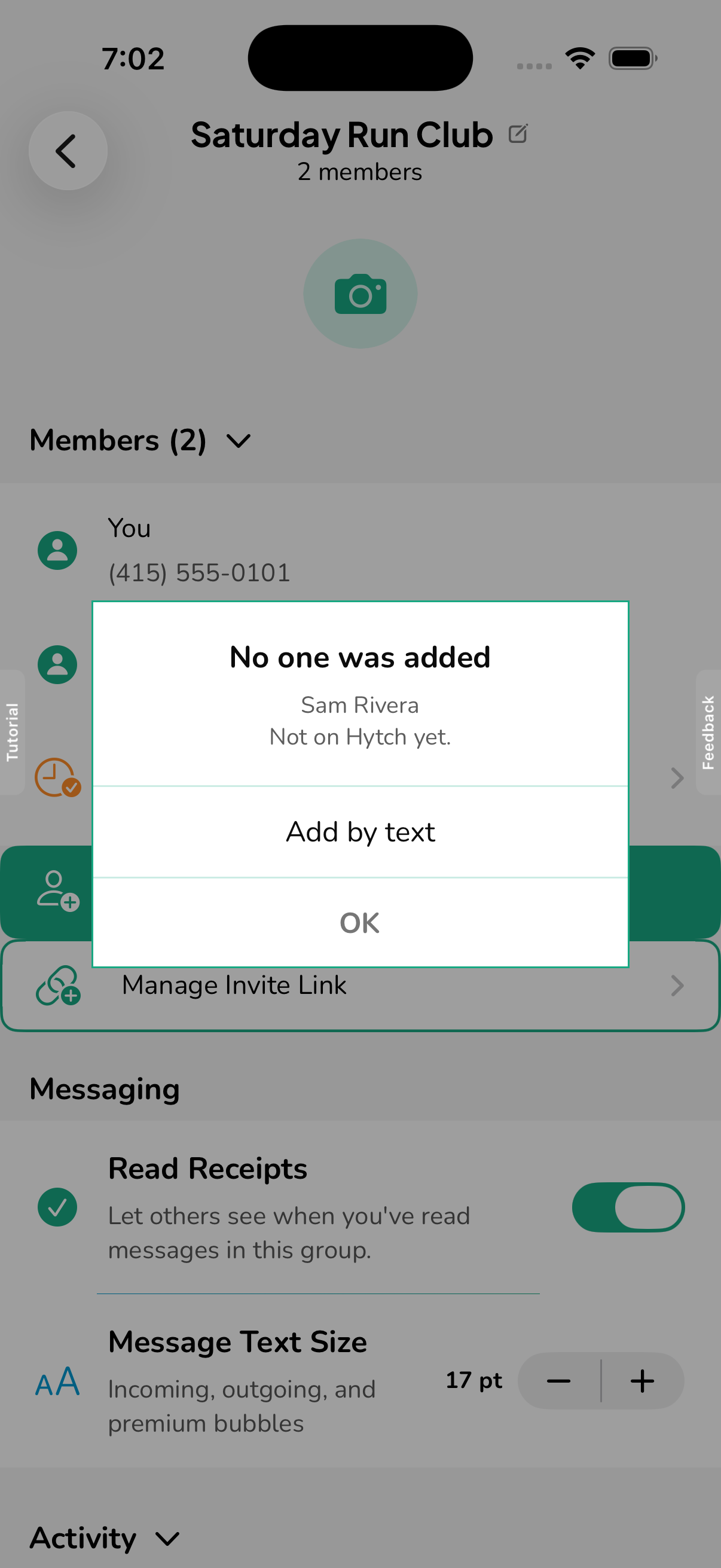
The number is not on Hytch yet, so the app offers Add by text. Nothing is sent to that number at this point. -
The app hands the admin a ready-to-send invitation to send from their own phone.
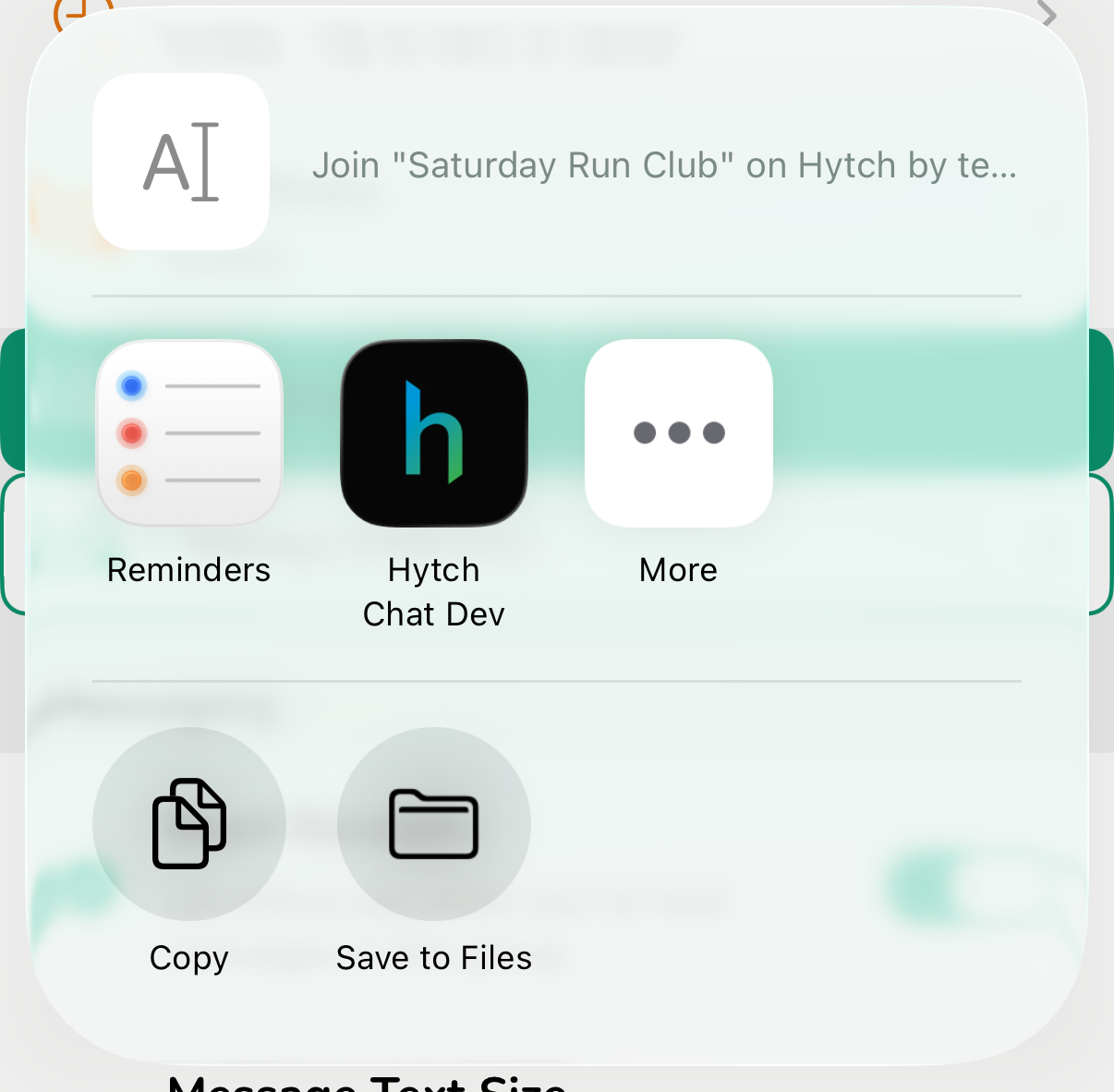
The invitation opens in the admin's own share sheet. The admin sends it from their own phone, not from Hytch. The invitationJoin "Saturday Run Club" on Hytch by text: text JOIN 809296 to (615) 283-9659. You'll get the group's messages from that number and your replies go to the group. Msg & data rates may apply. Text STOP to that number to stop.
-
The person shows as Invited until they opt in.
The admin can send the invitation again.
-
The person opts in by texting JOIN and the code.
The code only works from the invited number and expires after 7 days. Hytch replies once with this confirmation.
Hytch's replyHytch: You joined "Saturday Run Club" by text. Group messages will come from this number. Message frequency varies. Msg & data rates may apply. Reply HELP for help, STOP to opt out.
-
Group messages then arrive from the Hytch number.
For example:
A group message by textHytch group "Saturday Run Club": Alex Morgan: Meet at the park entrance at 7:30 Saturday. Msg & data rates may apply. Reply STOP to opt out.
Their replies appear in the group marked "via text".
Screens from the Hytch app. Example names and numbers.
Stop and help
- Text STOP to the Hytch number at any time to stop all messages.
- Text HELP for help, or email support@mobileflow.ai.
- Message frequency varies.
- Msg & data rates may apply.
Read the SMS Terms and the Privacy Policy.